Automated email signature setup for fast-growing teams
Scaling to 200 employees shouldn’t mean wasting engineering time. Brandseal automatically creates and keeps email signatures synced for every new hire from Day 1.
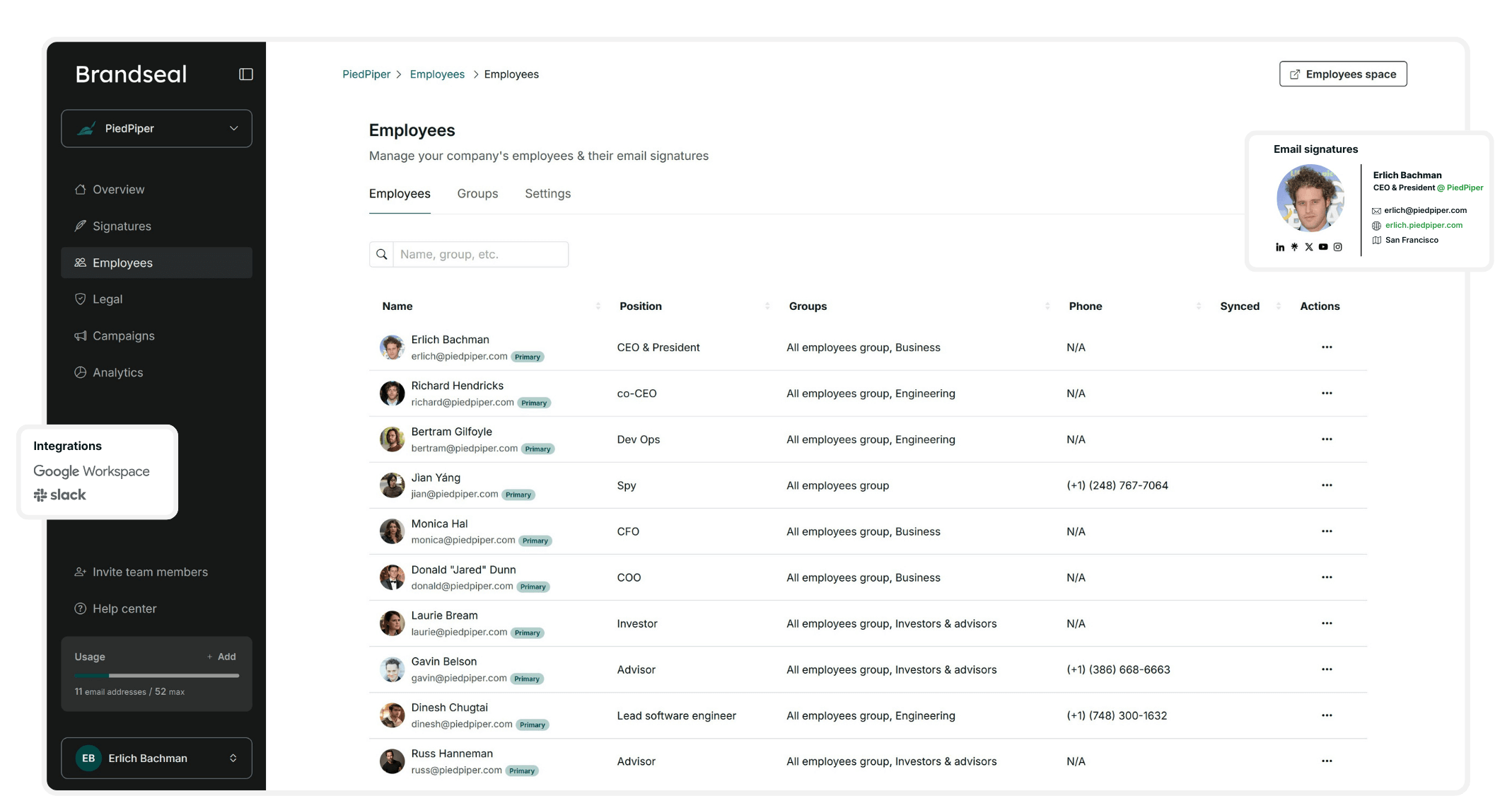
Scaling to 200 employees shouldn’t mean wasting engineering time. Brandseal automatically creates and keeps email signatures synced for every new hire from Day 1.
Every new hire shouldn't pull a developer away from your core product. Manually testing and troubleshooting HTML signatures is an expensive waste of your team's technical talent.
When titles change or teams shift, your email signatures stay stale. Without a live sync, your team's public info is only as accurate as the last time they bothered to update it.
Updating a logo or a marketing banner requires chasing 100+ people to manually copy-paste. You inevitably end up with broken links, mismatched fonts, and inconsistent branding.
Every new hire gets a perfectly branded email signature, automatically applied the moment they join to your email provider. No manual work, no developer time needed.
Connect Brandseal to your core employee directory app, and all employee data like names, titles, and departments, will always be up-to-date.



Update a logo, add a banner for an event, or launch a new call-to-action across your entire team in seconds.
Every new hire gets a perfectly branded email signature, automatically applied the moment they join to your email provider. No manual work, no developer time needed.
Connect Brandseal to your core employee directory app, and all employee data like names, titles, and departments, will always be up-to-date.
Update a logo, add a banner for an event, or launch a new call-to-action across your entire team in seconds.
Create your account and upload your logos, colors, and fonts. Brandseal stores your assets in one place to ensure every signature uses the exact hex codes and high-res files you've defined.
Connect your employee directory from Google Workspace, Slack, or Notion. Brandseal instantly pulls names, titles, and departments, so you never have to manually type employee data again.
Choose from professionally designed templates and tweak them in our visual editor. Lock down the design so your team stays on-brand without anyone needing to touch a line of code.
Different teams have different needs. Assign a "Booking Link" signature to Sales and a "Hiring" banner to HR. Deploy specific email signatures to specific departments in just one click.
Once live, Brandseal takes over. We auto-sync with your directory every 24 hours to update titles and add new hires, ensuring your signatures are always current while you focus on growing.
Stop manually updating employee signatures and start automating them.Join the teams that have offloaded their signature management to Brandseal.
We use cookies to improve your experience. You can read more in our Privacy Policy.